Twee instappunten, zes zoeklagen. Two entry points, six search layers.
De app accepteert zowel een productomschrijving als een (deel van een) code. Intern doorloopt elke zoekopdracht een cascade van methodes om altijd een zinvol resultaat te geven. The app accepts both a product description and a (partial) code. Internally, each search runs through a cascade of methods to always deliver a meaningful result.
TekstinvoerText Input
Typ een productomschrijving in gewone taal, NL of EN. De app detecteert automatisch de taal. Gebruik beschrijvende zelfstandige naamwoorden voor de beste resultaten. Type a product description in plain language, NL or EN. The app automatically detects the language. Use descriptive nouns for best results.
Code-invoer (2–8 cijfers)Code Entry (2–8 digits)
Voer een code-prefix in. De app toont alle bijpassende CN8-codes. Punten worden automatisch verwijderd: 7208.10.00 wordt 72081000.
Enter a code prefix. The app shows all matching CN8 codes. Dots are automatically removed: 7208.10.00 becomes 72081000.
De zoekcascade stap voor stapThe search cascade step by step
InvoerverwerkingInput Processing
Punten verwijderen, taaldetectie via stopwoorden (van, de, het) en diacritische tekens.Remove dots, detect language via stopwords (van, de, het) and diacritical characters.
Directe code-detectieDirect Code Detection
Als de invoer puur cijfers is (2–8 tekens): direct opzoeken via prefix-match. Geen verdere stappen nodig.If input is purely digits (2–8 chars): direct prefix-match lookup. No further steps needed.
Semantisch zoekenSemantic Search
PrimairPrimaryInvoer wordt omgezet naar een vector en vergeleken met ~10.000 CN8-omschrijvingen via cosine similarity. Begrijpt betekenis: "draagbare computer" = "laptop".Input is converted to a vector and compared to ~10,000 CN8 descriptions via cosine similarity. Understands meaning: "portable computer" = "laptop".
Full-Text Search (FTS)Full-Text Search (FTS)
SQLite FTS-index op officiële nomenclatuur. Stopwoorden worden gefilterd zodat alleen inhoudelijke termen overblijven.SQLite FTS index on official nomenclature. Stopwords are filtered so only meaningful terms remain.
Fuzzy-correctieFuzzy Correction
Als FTS niets vindt: spelfouten corrigeren via rapidfuzz (drempel 75–85%). "cementklinkers" → "cementklinker".If FTS finds nothing: correct typos via rapidfuzz (threshold 75–85%). "cementklinkers" → "cementklinker".
Taaloverbrugging NL ↔ ENLanguage Bridging NL ↔ EN
Geen NL-resultaat? Zoek in de EN-engine. Geen EN-resultaat? Zoek in NL als fallback.No NL result? Search in the EN engine. No EN result? Search in NL as fallback.
TaaloverbruggingLanguage Bridge
languageOfficiële TARIC-documentatie is primair in het Engels. TENSIG vertaalt Nederlandse termen naar Engelse synoniemen voor semantisch zoeken. Official TARIC documentation is primarily in English. TENSIG translates Dutch terms into English synonyms for semantic search.
AI-knop als laatste redmiddelAI button as last resort
Als alle zoeklagen geen resultaat geven, verschijnt de AI-knop in de interface. Na klikken vraagt de app Gemini 2.0 Flash om 2–3 CN8-suggesties. Die worden gevalideerd in de lokale database. If all search layers yield no result, the AI button appears in the interface. After clicking, the app asks Gemini 2.0 Flash for 2–3 CN8 suggestions. These are validated in the local database.
Het zoekschermThe search screen
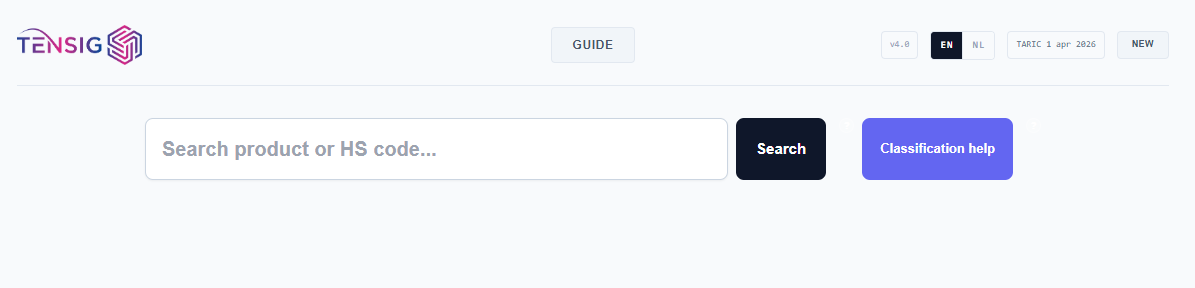
bolt Direct naar resultaatDirect to result
In twee gevallen springt de app automatisch door naar het detailscherm van één specifieke code, zonder dat je hoeft te kiezen: In two cases the app automatically jumps to the detail screen of one specific code, without you having to choose:
FTS geeft precies 1 resultaat en de semantische engine heeft geen tegenstrijdige suggestie uit een ander hoofdstuk.FTS returns exactly 1 result and the semantic engine has no conflicting suggestion from another chapter.
Zowel FTS als semantisch wijzen naar dezelfde code met een semantische score ≥ 0,85.Both FTS and semantic point to the same code with a semantic score ≥ 0.85.
Pro-tip: Semantisch zoeken werkt het best met beschrijvende zelfstandige naamwoorden in plaats van technische werkwoorden. "Koelventilator" werkt beter dan "apparaat om te koelen". Semantic search works best with descriptive nouns rather than technical verbs. "Cooling fan" works better than "device for cooling".